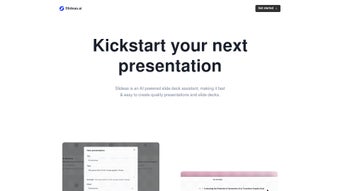

Introduction to Slideas – The Future of Presentation Creation
In today’s fast‑paced professional environment, the ability to craft compelling slide decks quickly can make the difference between closing a deal and watching an opportunity slip away. Slideas arrives as a cloud‑native, AI‑powered presentation assistant that promises to eliminate the repetitive, time‑consuming steps traditionally associated with slide design. Whether you are a seasoned consultant preparing a client‑facing deck, an educator looking to engage students, or a startup founder polishing a pitch, Slideas offers a single platform that blends generative AI, an intuitive block‑based editor, and seamless cross‑device compatibility.
The service is built on a secure, GDPR‑compliant infrastructure and provides a generous free tier that removes most financial barriers for individuals and small teams. At its core, Slideas leverages a proprietary language model fine‑tuned for business communication, ensuring that generated headlines, bullet points, and speaker notes are concise, jargon‑aware, and ready for immediate use. The following sections dive deep into what makes Slideas stand out, how you can get started, and why it deserves a place in your productivity toolkit.
By the end of this review, you’ll have a clear picture of the product’s strengths, potential drawbacks, and the exact steps needed to download, install, and begin creating polished presentations in minutes.
Overview, Core Features, and Real‑World Pros & Cons
Slideas is a web‑first application that transforms a single topic line into a fully structured slide deck within seconds. The AI engine analyses the input, extracts key themes, and generates slide titles, bullet points, and speaker notes that follow a logical flow. The generated content can then be edited in a Notion‑style block editor, allowing you to rearrange slides, inject multimedia, and fine‑tune the narrative without ever leaving the browser.
Collaboration is baked in: team members can comment, suggest edits, and view version history in real time, eliminating the chaos of multiple file versions. Export options include one‑click conversion to Google Slides or PowerPoint, while the platform also supports direct presentation mode for cloud‑based delivery. Slideas operates on a freemium model: the free plan grants unlimited personal decks, access to all design themes, and AI generation, while the Pro plan (priced at $12.99 per user per month) unlocks brand‑level customization, shared theme libraries, and advanced permission controls—essential for larger organizations seeking consistent visual identity across all presentations.
Feature List
- AI‑generated slide titles, bullet points, and speaker notes from a single topic.
- Notion‑like block editor for drag‑and‑drop slide arrangement.
- One‑click export to Google Slides and Microsoft PowerPoint.
- Real‑time collaboration with comment threads and change tracking.
- Unlimited personal decks on the free tier, with all premium themes unlocked.
- Pro‑level brand guidelines, custom theme creation, and team permission management.
- Responsive web app plus native Android and iOS apps for on‑the‑go editing.
- End‑to‑end encryption for cloud‑stored decks, complying with GDPR and CCPA.
- Automatic version history with rollback capability.
- Continuous AI model updates improving relevance, tone, and industry‑specific language.
Pros
- Speed: Generates a complete outline in under 10 seconds, cutting preparation time dramatically.
- User‑Friendly Interface: The block editor requires no design background, making it accessible to beginners.
- Collaboration: Real‑time editing removes the need for email‑based version control.
- Export Flexibility: Seamlessly integrates with existing PowerPoint or Google Slides workflows.
- Free Tier Generosity: Unlimited personal decks make it ideal for students and freelancers.
- Brand Consistency: Pro users can enforce corporate colors, fonts, and logos automatically.
- Cross‑Device Support: Works on desktop browsers, Windows, macOS, Android, and iOS.
Cons
- Advanced brand‑customization features are locked behind the paid Pro plan.
- AI generation and real‑time sync require a stable internet connection.
- Exported PowerPoint files may need minor layout adjustments for highly complex designs.
- AI suggestions sometimes need manual refinement to match niche industry terminology.
Slideas stands out as a powerful AI‑driven assistant that genuinely accelerates presentation creation. The free plan is surprisingly generous, and the Pro tier adds thoughtful features for teams that need brand control. While occasional manual tweaks are required after export, the overall time savings and collaborative experience make it a top choice for anyone who creates slides regularly.
Installation, Usage Instructions, Compatibility, and Pricing Details
How to Get Started – No Traditional Installer Needed
Begin by visiting the official website at slideas.ai and clicking the “Get Started – Free” button. Because Slideas is primarily a web application, there is no conventional installer for Windows or macOS. Instead, you can create a desktop shortcut using your browser’s “Add to Desktop” or “Install as App” feature, which launches the service in a dedicated window that behaves like a native app. For mobile devices, download the dedicated app from the Google Play Store or Apple App Store.
Step‑by‑Step Usage Guide
- Sign Up or Log In: Register with an email address or use SSO options such as Google or Microsoft.
- Create a New Deck: Click the “Create New Deck” button, type your presentation topic, and press “Generate.”
- Choose a Theme: Select from a library of modern, fully customizable themes that suit your brand or audience.
- Edit with Blocks: Use the Notion‑style editor to modify text, add images, embed videos, or rearrange slide order via drag‑and‑drop.
- Collaborate: Invite teammates by email; they can comment, suggest edits, or take ownership of specific slides.
- Export or Present: Export to PowerPoint (.pptx) or Google Slides, or launch the built‑in presentation mode for cloud‑based delivery.
Operating System Compatibility
Slideas runs on any modern browser, making it compatible with Windows 10/11, macOS Catalina and later, and major Linux distributions. Native mobile apps support Android 8.0+ and iOS 13+. While the web app provides full functionality, the mobile apps allow offline viewing of previously downloaded decks; however, AI generation and real‑time collaboration still require an active internet connection. Enterprises with strict firewall policies can whitelist Slideas using the IP ranges listed in the admin console, and SSO via SAML is supported for added security.
Pricing and Offers
Free Plan: Unlimited personal decks, all themes, AI generation – $0/month.
Pro Plan: Team collaboration, brand guidelines, custom themes, priority support – $12.99 per user/month.
Frequently Asked Questions
Is Slideas truly free for unlimited personal use?
Yes. The free tier provides unlimited personal decks, full access to all design themes, and AI‑generated content without hidden limits. Upgrading is only necessary for team collaboration or brand‑level features.
Will exporting to PowerPoint retain my design choices?
Most design elements—including colors, fonts, and basic layouts—are preserved. Complex animations or custom vector graphics may require slight adjustments after export, but the core visual integrity remains intact.
How secure is my data stored in the cloud?
Slideas employs end‑to‑end encryption for all stored decks and complies with GDPR and CCPA regulations. Enterprise customers can also enforce SSO, IP‑based access controls, and data residency options.
Can I edit a deck offline on my mobile device?
Basic editing of previously downloaded decks is possible offline via the mobile apps. However, AI‑generated content, real‑time collaboration, and cloud sync require an active internet connection.
What makes Slideas different from other AI presentation tools?
Slideas combines a Notion‑style block editor, seamless export options, robust real‑time collaboration, and a highly generous free tier—all powered by a proprietary AI tuned for concise, business‑ready language. Its brand‑guideline enforcement and secure cloud architecture also set it apart for professional teams.
Conclusion – Download Slideas Today and Transform Your Workflow
Time is the most valuable resource for anyone who creates presentations, and Slideas directly addresses that pain point. By generating structured outlines in seconds, providing an intuitive editor that requires no design expertise, and enabling seamless collaboration across Windows, macOS, Android, and iOS, the platform delivers a complete end‑to‑end solution. The free plan offers more than enough functionality for individual users, while the reasonably priced Pro tier adds powerful brand‑management tools for organizations. Security is baked in, ensuring that your intellectual property remains protected throughout the creation process. If you’re ready to cut presentation preparation time by half, improve visual consistency, and enjoy the flexibility of cloud‑based editing, click the button below to start using Slideas instantly.



.png)



